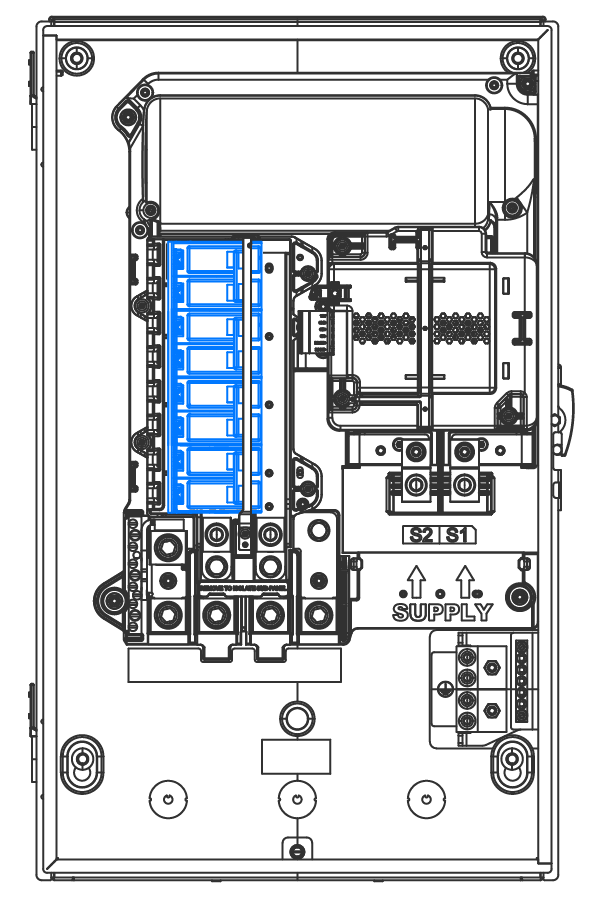
If there are non-generation
loads on the internal panelboard, Tesla recommends installing breakers in
the following order:
Solar breaker(s) in
the top breaker slots
Powerwall
breaker(s)
Wall Connector
breaker(s)
Load breaker(s) in
any remaining breaker slots at the bottom
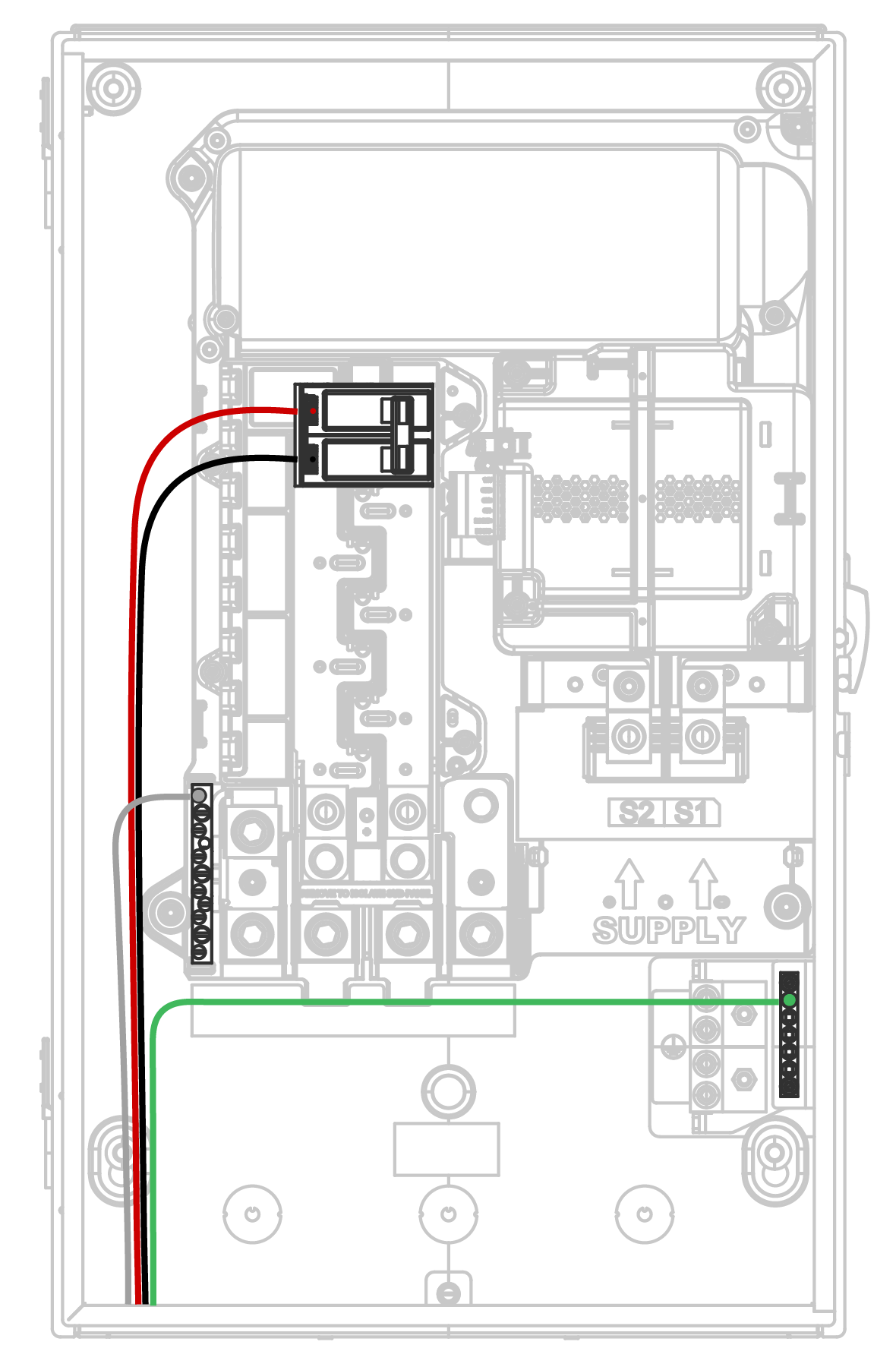
For each breaker, connect the accompanying Neutral to the Neutral bar, and the
accompanying Ground to the Ground bar.
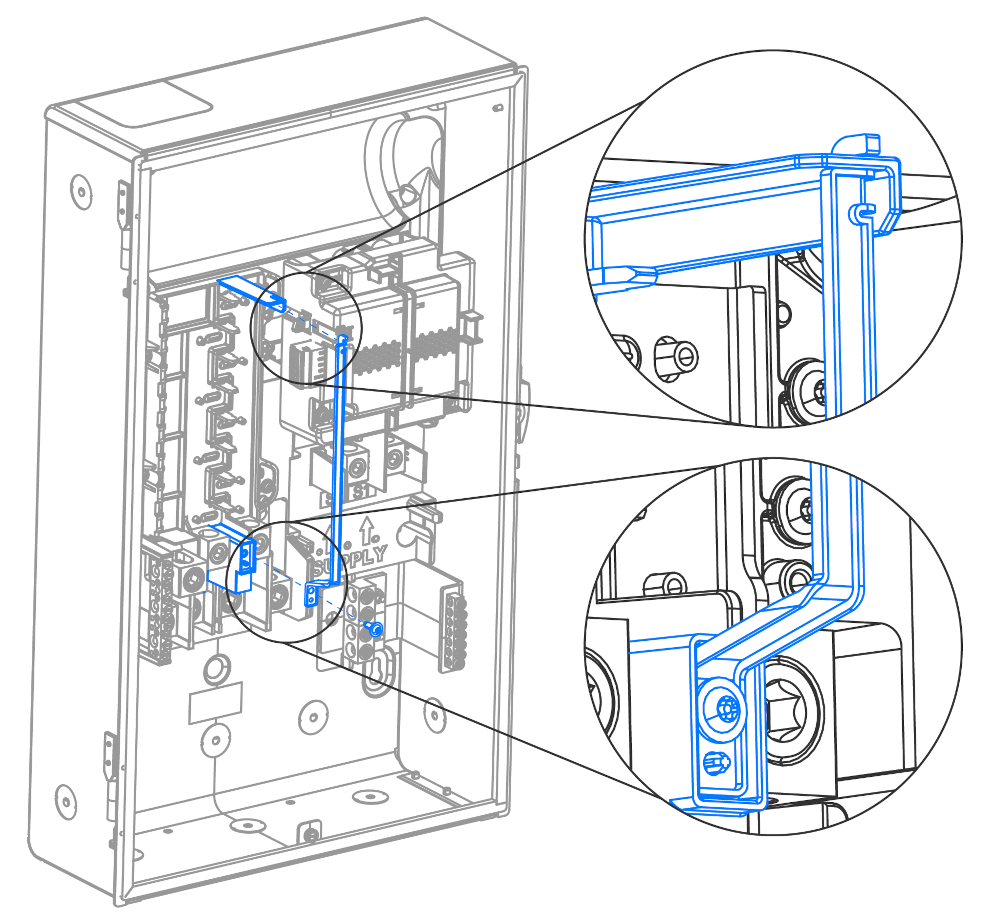
After the breakers are installed,
insert the top of the hold-down bracket into the opening above the internal
panelboard. Fasten the bottom of the hold-down bracket using the provided T20
Torx head screw.
Note
The breaker hold-down
is used to mechanically secure back-fed breakers onto the internal
panelboard. The breaker
hold-down kit may be required by the local authority having
jurisdiction.
Internal Panelboard Design
Considerations
The internal panelboard is a 200 A-rated bussing that supports 8x 1-inch breaker
spaces (16 circuits) using branch circuit breakers up to 125 A maximum.
Note
These breakers serve as circuit
protection for the equipment. Breaker sizing and installation must comply with the
National Electric Code.
Note
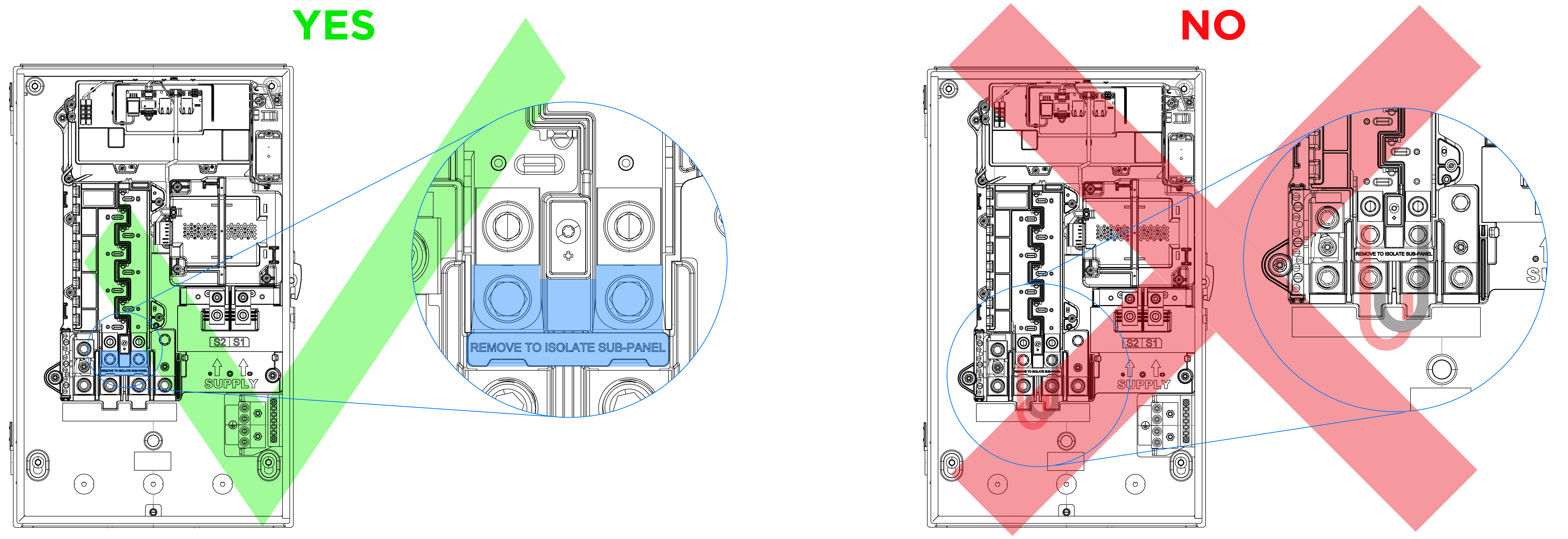
The Gateway 3 utilizes a jumper bridge to connect the internal panelboard to the backup lugs,
as described in Appendix A: Backup Lugs and highlighted in the image below. This jumper
bridge can be removed to install a disconnect before the internal panelboard (see
Gateway 3 Wiring Diagrams for a wiring diagram).
The previous
generation of Gateway, the Backup Gateway 2, required the installation of
factory-made jumpers to supply power to the internal panelboard; the installer
could choose to connect the internal panelboard to either the Backup or
Non-Backup terminals.
 NoteThe breaker hold-down is used to mechanically secure back-fed breakers onto the internal panelboard. The breaker hold-down kit may be required by the local authority having jurisdiction.